
News
IQOS Iluma Battery Life & Charging Tips: Make It Last Longer

Whether you’re commuting down Sheikh Zayed Road during peak morning traffic, sitting in an air-conditioned Abu Dhabi office, or enjoying a late weekend desert camp in Dubai, the last thing you want is your heat-not-burn device giving out on you.
The IQOS Iluma lineup solved one of the biggest headaches of older models by introducing the Smartcore Induction System—meaning no fragile blades to snap and zero internal cleaning required. But here is the thing: while the heating mechanism is practically maintenance-free, the internal lithium-ion battery still needs proper care. The intense heat of the UAE climate, combined with common daily charging mistakes, can slowly degrade your battery performance without you even noticing.
If you want to keep your holder fast and your pocket charger delivering full 20-stick performance, this guide breaks down everything you need to know about charging habits, climate protection, battery lifespan, and real-world troubleshooting.
The Core Specs: What Your Battery Should Actually Deliver
Before fixing performance issues, it helps to know what a healthy device looks like on paper. If your setup isn’t hitting these numbers, your battery habits might need a tweak.
-
Pocket Charger Capacity: Designed to give you up to 20 full sessions on a full charge cycle.
-
Holder Capacity: Holds enough power for 2 back-to-back sessions before it needs to go back into the charger case.
-
Holder Charging Times:
-
1 session ready: ~1 minute 50 seconds
-
2 sessions ready: ~3 minutes 25 seconds
-
-
Full Case Charge Time: Roughly 135 minutes (2 hours and 15 minutes) from a completely dead state to 100%.
If your current device falls well short of these benchmarks even after adjusting your charging routine, it might simply be showing its age. You can explore the latest ILUMA device collection to compare updated hardware specs.
7 Practical Tips to Maximize IQOS Iluma Battery Life in the UAE
Keeping your battery running like new isn’t hard, but it does require breaking a few subtle, everyday habits.
1. Protect Your Device from the Extreme UAE Heat
Lithium-ion batteries hate heat—it causes the electrolyte fluid inside the cell to degrade prematurely. Leaving your charger sitting on a dashboard in a parked car during Dubai summer months can permanently cut your battery capacity in half over just a few weeks.
-
Safe Temp Zone: Always operate and store your gear between 0°C and 40°C.
-
Direct Sun Hazard: Never leave your device sitting on beach towels, outdoor café tables, or sunny window sills.
-
Overheating Warning: If the bottom light on your pocket charger starts double-flashing white, it means the thermal sensors have triggered a safety shutdown. Move it into an air-conditioned space and let it rest for 15 minutes. Never put it in a fridge or freezer to cool it quickly!
2. Follow the 20–80% Battery Rule
One of the worst things you can do to a lithium battery is let it drain down to 0% until it completely shuts off, or leave it plugged in at 100% for days on end.
-
Plug your pocket charger in once the LED indicator drops down to one light (around 20-25%).
-
Try to unplug it once it reaches full or near-full charge rather than keeping it constantly hooked to power. Keeping the battery operating within that mid-range sweet spot slows down chemical wear.
3. Ditch Random Third-Party Charging Blocks
It’s easy to grab whatever USB-C cable is plugged into your couch or office desk, but cheap phone chargers and unbranded car adapters can deliver unstable voltage.
-
Stick to the official AC adapter and USB-C cable supplied in the original packaging.
-
If you rely on power banks while out and about, make sure you use a reputable brand with built-in voltage regulation and surge protection.
4. Keep the Charging Pins Clean and Lint-Free
Because the Iluma system uses induction, you won’t get tobacco residue build-up inside the holder heating chamber like older IQOS models. However, pocket lint, dust, and micro-debris can easily collect at the bottom of the holder dock and inside the USB-C port.
-
Dirt creates electrical resistance on the tiny gold contacts at the base of the holder. This forces the pocket charger to draw more power and generate extra heat during recharging.
-
Gently wipe the gold pins inside the bottom of the pocket charger and the holder base with a dry cotton swab once a month.
5. Never Charge in Direct Sunlight or Hot Rooms
The charging process itself naturally generates internal heat. If you plug your device into a wall outlet situated in a hot room or near a sunlit window, that double heat exposure puts unnecessary strain on the battery cells. Always charge your device indoors in a cool, ventilated, air-conditioned spot.
6. Avoid Leaving the Holder Out of the Case When Empty
If your holder is completely drained after a session, don’t leave it sitting on a desk for hours before placing it back in the charger. Lithium cells degrade faster when left at absolute zero state of charge. Get into the habit of slipping the holder back into the pocket charger immediately after every use.
7. Avoid Heavy Consecutive Sessions in Warm Weather
Taking back-to-back sessions already warms up the holder internal components. If you do this outdoors during a hot afternoon, the holder temperature rises rapidly, forcing the battery to drain much faster to maintain stable induction heat. Give the holder a minute or two to breathe between uses when outdoors.
Real-World Battery Performance Comparison
Here is how daily charging habits directly impact your device’s overall lifespan over time:
| Charging Habit | Estimated Battery Lifespan | Average Sessions per Full Charge | Common Issues Encountered |
| Best Practice (Original cable, 20-80% charge, kept indoors) | 18 – 24 Months | 18 – 20 Sessions | Minimal capacity loss |
| Moderate Wear (Overnight charging, mixed wall adapters) | 12 – 15 Months | 14 – 16 Sessions | Slight drop in daily performance |
| High Stress (Draining to 0%, left in hot cars, cheap cables) | 6 – 9 Months | 8 – 10 Sessions | Unexpected shutdowns, overheating lights |
Styling Your Device Setup
Beyond technical care, the Iluma series is widely loved for its slick design, durable aluminum casing, and clean finish options. Picking a color that fits your style makes taking care of your device a bit more satisfying.
-
Vibrant & Bold: If you like eye-catching accessories, options like the rich ILUMA Red or the deep ILUMA Electric Purple stand out effortlessly.
-
Sleek & Subtle: For a clean, minimalist everyday look, check out ILUMA Blue or ILUMA Orange.
Whichever color option you roll with, pairing your setup with genuine Terea Flavors ensures the induction coil operates within correct resistance and thermal limits.
Troubleshooting IQOS Iluma Battery & Light Indicators
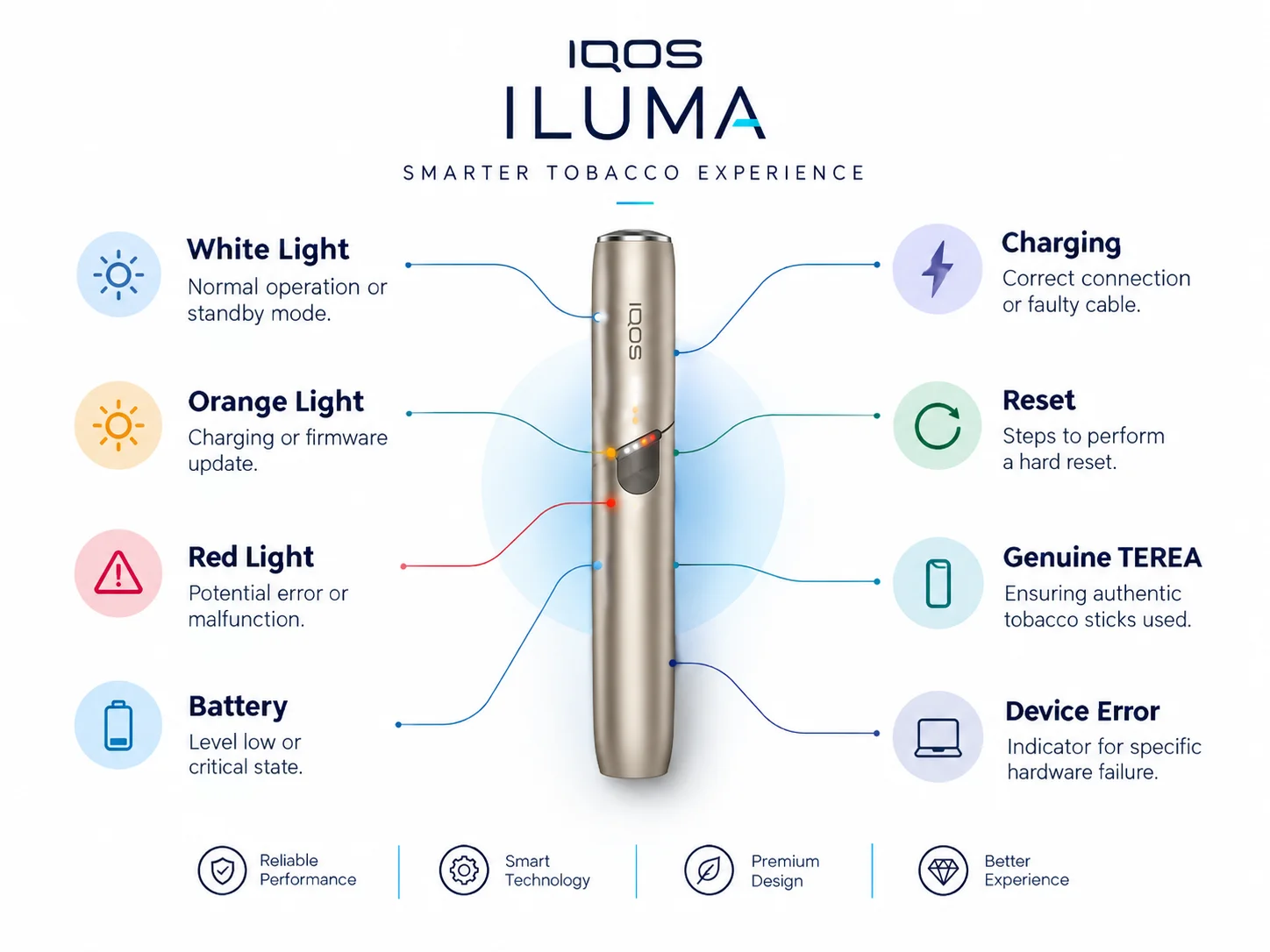
If your device starts acting up, the LED lights on the holder and pocket charger usually tell you exactly what is going on:
Flashing Red Light on Holder or Pocket Charger
This signals an internal electronic glitch or temporary battery fault.
-
Fix: Reset your device. Place the holder inside the pocket charger, press and hold the pocket charger button for 10 seconds, then release. All lights will turn off and flash back on to confirm a hard reset.
Double Flashing White Light
Your device is either too hot (above 40°C) or too cold (below 0°C).
-
Fix: Bring the unit into an air-conditioned room and let it adjust for 15–20 minutes. Do not try to charge it while this light is active.
Solid Yellow/Orange Light on Charger
Your battery level is critically low.
-
Fix: Connect the device to your original AC adapter and let it charge uninterrupted for at least 30 minutes before trying to use the holder again.
When Is It Time to Replace Your Device?
Even with pristine maintenance, all rechargeable lithium batteries eventually reach the end of their chemical lifecycle. You should consider getting a fresh unit if you notice:
-
Severe Session Loss: Your pocket charger dies after just 6–8 sessions instead of the usual 20.
-
Long Charge Times: Taking over 3 hours to register a full charge.
-
Random Mid-Session Shutdowns: The holder cuts off mid-use even when the lights showed plenty of charge.
When it is time for a refresh, sourcing authentic hardware through trusted suppliers like Terea Dubai ensures you get original, factory-sealed products with prime battery life right out of the box.
Frequently Asked Questions
Can I leave my IQOS Iluma charging overnight?
While modern Iluma chargers have protection chips to cut power when full, leaving it plugged in all night regularly can generate small amounts of ongoing trickle heat. Unplugging it once full is always better for long-term battery health.
How long does a full IQOS Iluma charge take?
Using the official wall adapter and cable, charging the pocket charger from 0% to 100% takes approximately 135 minutes (about 2 hours and 15 minutes).
Why is my IQOS Iluma holder charging slower than usual?
Dust or pocket lint on the gold contact pins inside the pocket charger or on the base of the holder is the most common culprit. Cleaning them gently with a dry cotton swab usually fixes the issue right away.
Does fast-charging damage the IQOS Iluma battery?
Yes, using ultra-high wattage laptop chargers or uncalibrated fast-charging blocks can send too much current, causing unnecessary heat build-up that wears out the battery faster. Stick to standard 5V/2A adapters.
What should I do if my IQOS Iluma won’t turn on at all?
Plug the charger into a wall socket using the original cable and let it sit for at least 20 minutes. If lights still don’t show up, perform a hard reset by holding the pocket charger button down for 10 seconds.
Keeping your IQOS Iluma running at peak performance doesn’t take much effort—just a few simple daily habits. Keep it out of direct Gulf sun, top up the charge before it completely dies, keep the connectors clean, and stick to original charging accessories. Doing so ensures every session stays smooth, consistent, and hassle-free no matter where your day takes you.